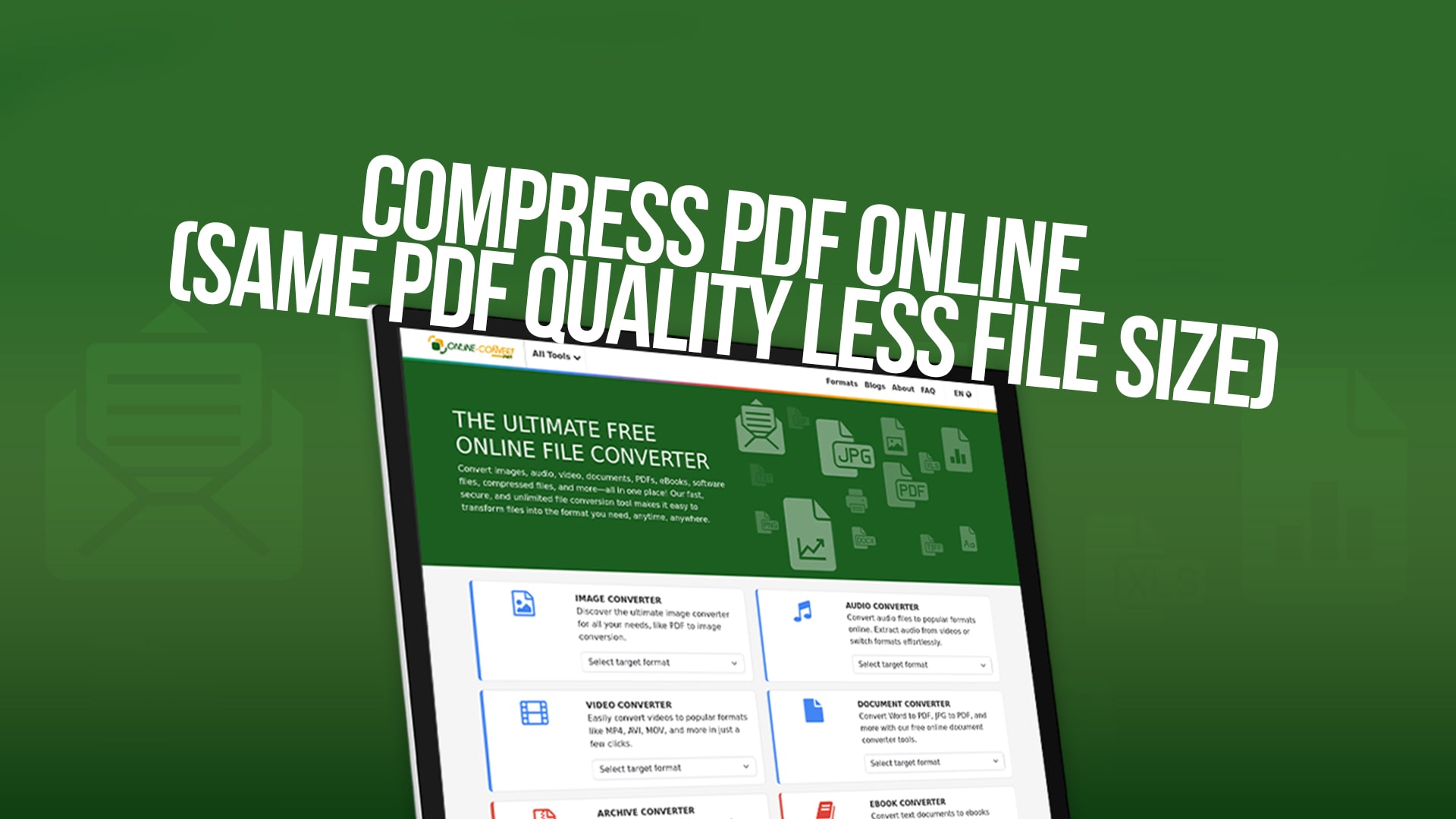
Compress PDF Online (Same PDF Quality Less File Size)
The digital landscape has transformed how we work with documents and share information across the globe. Whether you are a student, professional, or business owner, you likely work with PDF documents daily. PDF files are ideal for sharing documents because they preserve their formatting across various devices and operating systems. However, sometimes these files can become quite large, which makes them difficult to share via email, store on your computer, or upload to websites.
This is where PDF compression comes in. Compressing a PDF means reducing the file size while keeping the quality of the document intact. Imagine you have a PDF file that is 50 megabytes in size, but you need to email it to a client. Most email providers have file size limits, and sending such a large file might be impossible. By compressing the PDF, you could reduce it to just 10 or 15 megabytes, making it easy to send without any trouble.
The good news is that you do not need to be a computer expert to compress your PDF files. There are many online tools available that make this process simple and quick. One of the best options available is Online-Convert, which offers free PDF compression services that are easy to use and deliver excellent results.
Why Should You Compress Your PDF Files?
There are many reasons why compressing your PDF files is a smart idea. Let's explore some of the most important benefits that you will experience when you reduce the size of your PDF documents.
When you compress a PDF file, the most obvious benefit is that it takes up less space on your computer or storage device. If you have thousands of PDF files, this can add up quickly and save you a lot of storage space. This is especially important if you are using cloud storage services or have limited hard drive space on your computer.
Another major benefit of PDF compression is that smaller files are much faster to upload and download. If you need to send a document to someone, a compressed file will transfer much more quickly than a large file. This is particularly important in business settings where time is money. A document that takes five seconds to upload instead of thirty seconds can make a real difference throughout your workday.
Email is still one of the most common ways to share documents, but most email providers limit the size of attachments. Gmail, Outlook, and other popular email services typically allow attachments up to 25 megabytes. If your PDF is larger than this limit, you will not be able to send it directly. Compressing your PDF makes it easy to stay within these limits and share your documents without any complications.
Compressed PDF files are also better for storage on mobile devices. If you need to access documents on your smartphone or tablet, smaller file sizes mean you can store more documents without using up all your device's storage space. This is very helpful for people who work on the go and need access to many different documents throughout the day.
Finally, compressed PDF files load faster in web browsers and PDF readers. This means a smoother experience when you are viewing the document on your computer or mobile device. No more waiting for large files to load when you want to quickly reference a document.
Common Questions About PDF Quality After Compression
Many people worry that compressing a PDF file will make it look worse or lower the quality of the document. This is a very reasonable concern, but the good news is that modern compression technology is very smart about what to remove from files.
When you compress a PDF using a good online tool like Online-Convert, the compression process removes unnecessary information from the file without affecting the parts that matter most. The text remains clear and easy to read, and images stay at a quality that is good enough for most purposes. You will not see a dramatic difference when you view the compressed file compared to the original.
The compression algorithms used by Online-Convert are designed to be intelligent about what they remove. They understand that certain information is more important for readability and appearance than other information. Backgrounds that are not essential to the document are simplified, but the main content remains sharp and clear. This is why you can significantly reduce file size without noticing much difference in quality.
Different PDF files may compress differently depending on what is inside them. A PDF file that contains mostly text will compress very well and may end up much smaller with almost no visible difference. A PDF that contains many high-quality color images may not compress as much, but it will still be smaller while remaining completely readable.
How to Compress Your PDF Files Using Online-Convert
Using Online-Convert to compress your PDF files is straightforward and requires no special skills or software. The process is designed to be user-friendly, so even if you have never compressed a file before, you will be able to do it easily.
The first step is to visit Online-Convert's website. Once you are there, you will see various conversion options for different file types. Look for the PDF compression tool, which is clearly labeled and easy to find. Click on the PDF compression option to get started.
After you click on the PDF compression tool, you will see a simple upload area. You can upload your PDF file in several different ways. The easiest method is to click on the upload button and browse your computer to select the PDF file you want to compress. Alternatively, you can drag and drop your PDF file directly into the upload area if your browser supports this feature.
Once you have selected your file, the upload process begins automatically. You do not need to click any additional buttons or settings. The file will be uploaded to Online-Convert's secure servers, where the compression process will begin.
While your file is being processed, you can relax and wait. The compression process is fast, but the exact time depends on the size of your original file. Most PDF files compress within just a few seconds to a minute. You will see a progress bar or status message that lets you know the compression is happening.
When the compression is complete, Online-Convert will automatically prepare your compressed PDF file for download. You will see a download button on the page, and clicking this button will save your new, smaller PDF file to your computer. The downloaded file will have a name that indicates it is the compressed version of your original file.
That is all there is to it. The entire process, from uploading your file to downloading the compressed version, takes just a few minutes. You do not need to install any software, create an account, or pay any money. Online-Convert provides this service completely free.
Understanding File Size Reduction
When you compress a PDF file, you might be wondering exactly how much smaller it will become. The answer depends on many factors related to what is inside your PDF file.
PDF files that contain mostly text generally compress very well. This is because text information can be compressed quite a lot without any loss of quality. A text-heavy PDF might be compressed to just 20 or 30 percent of its original size. This means that a 100 megabyte file could potentially become just 20 or 30 megabytes.
PDF files that contain images will not compress quite as much, but they will still become significantly smaller. Images are harder to compress because they contain a lot of detailed information about colors and shading. However, Online-Convert's compression technology is intelligent enough to reduce image quality just slightly in ways that most people will not notice, resulting in smaller file sizes.
PDF files that contain a mix of text and images, which is very common, typically compress to about 40 to 60 percent of their original size. This means a file that is 50 megabytes could become 20 to 30 megabytes after compression. This is a significant reduction that makes a real difference in how easy the file is to share and store.
It is important to understand that the amount of compression can vary quite a bit depending on the specific content of your PDF. Some files might compress much more, while others might compress less. The best way to see how much your specific file will compress is to simply try it using Online-Convert's free service. You can upload your file and see the result before you decide to keep the compressed version.
The Technology Behind PDF Compression
PDF files are actually quite complex. They contain layers of information, including text, images, fonts, colors, and formatting instructions. When you open a PDF in a reader, all of this information works together to create the document you see on your screen.
PDF compression works by analyzing all of this information and removing the parts that are not essential for displaying the document correctly. Modern compression technology, like what Online-Convert uses, employs sophisticated algorithms that understand what information is important and what can be safely removed or simplified.
One common compression technique involves reducing the resolution of images within the PDF. A high-resolution image might be much larger than necessary for viewing on a computer screen. By reducing the resolution slightly, the file size decreases dramatically while the image still looks good to human eyes. This is especially true for images that are not photographs or detailed artwork.
Another technique involves removing metadata from the PDF file. Metadata is information about the document that does not affect how it looks. This might include information about who created the file, when it was created, or other details. Removing this information can save space without changing the appearance of the document at all.
Online-Convert uses the latest compression technology to ensure that your files are compressed as much as possible while still maintaining quality. The algorithms are constantly being improved to provide even better compression results.
Different Types of PDF Files and How They Compress
Not all PDF files are the same, and different types compress differently. Understanding what type of PDF you have can help you know what to expect when you compress it.
Scanned document PDFs are created by scanning paper documents and turning them into digital files. These PDF files often contain image-based text rather than actual text characters. Scanned documents typically contain a lot of data because each page is essentially a photograph of the original document. These files usually compress quite well because there is a lot of redundant information that can be removed.
Professional document PDFs are created by exporting from programs like Microsoft Word or Adobe InDesign. These documents typically contain actual text characters rather than images of text, and they compress very well. You can often reduce the file size significantly without any noticeable loss of quality.
Graphic-heavy PDFs contain lots of images, charts, and design elements. These might include brochures, flyers, or design documents. Files like this do not compress as much as text-heavy documents because images contain detailed information that cannot be simplified too much without affecting appearance.
Presentation PDFs are created from presentations like PowerPoint. These typically contain a mix of text and graphics and compress reasonably well. You can usually reduce the file size by a noticeable amount without affecting the quality too much.
When to Compress Your PDFs
You should consider compressing your PDF files in several situations. If you need to send a document via email and you are not sure if it will fit within size limits, compressing it first is always a good idea. This ensures that your email will be delivered successfully without any problems.
If you are storing many PDF files on your computer or on cloud storage services, compressing them can save you valuable storage space. Over time, if you accumulate many PDF files, this can add up to significant storage savings. Additionally, if you are close to reaching your cloud storage limit, compressing your PDFs can be a quick way to free up space.
When you need to upload PDF files to a website or document management system, smaller files upload faster, which means less waiting time for you. This is especially important if you have a slow internet connection or need to upload many files at once.
If you are providing documents to others and want them to have the easiest time possible downloading and accessing the files, compressed versions are better. People with slower internet connections will particularly appreciate receiving smaller files.
Maintaining Quality While Compressing
While Online-Convert's compression is designed to maintain quality, there are a few things you should know about the process to get the best results.
First, understand that you are choosing between file size and quality. In most cases, you will not notice any difference in quality when using online compression tools, but there is technically a trade-off. You are choosing to accept a very small reduction in quality to gain a much larger reduction in file size. This is usually a worthwhile trade.
If you are compressing a document that contains important photographs or artwork where quality is critical, you might want to keep a backup of the original file. This way, if you ever need the highest quality version, you will still have it available.
It is also a good idea to download the compressed file and check it yourself before sharing it with others. Open it in your PDF reader and make sure it looks good to you. You might even want to compare it side by side with the original to see if you notice any difference. In most cases, you will be satisfied that the quality is still excellent.
The Benefits of Using Online-Convert
Online-Convert is an excellent choice for compressing your PDF files for several reasons. The service is completely free, which means you can compress as many files as you want without paying anything. This is a huge advantage over some other services that charge fees or require subscriptions.
The service is also very fast. Your files are compressed quickly, so you do not have to wait long to get your results. This means you can compress multiple files in just a few minutes if needed.
Online-Convert is designed to be secure. Your files are processed on secure servers, and you do not need to worry about your documents being stored or shared with others. Your privacy and security are taken seriously.
Beyond PDF compression, Online-Convert also offers conversion services for many other file types. You can convert images, audio files, video files, documents, eBooks, and compressed files. This makes Online-Convert a one-stop shop for many of your file conversion and compression needs. Whether you need to convert a photo to a different format, compress a video file, or convert a document, Online-Convert can help.
Step-by-Step Process for First-Time Users
If you have never compressed a file before, do not worry. Here is a detailed step-by-step guide to walk you through the entire process.
Step one is to open your web browser and navigate to Online-Convert. You do not need to download or install anything. The service is web-based, which means it works in any modern web browser on any computer.
Step two is to find the PDF compression tool. Look for the option labeled for PDF files and compression. It should be clearly visible on the website.
Step three is to click on the PDF compression option. This will open the compression tool and show you the upload area.
Step four is to select your PDF file. Click the upload button and browse your computer to find the PDF you want to compress. Select the file and click Open.
Step five is to wait for your file to upload and compress. You will see a progress indicator showing that the process is happening. This usually takes just a few seconds to a minute, depending on file size.
Step six is to download your compressed file. Once the compression is complete, you will see a download button. Click this button to save your compressed PDF to your computer.
Step seven is to verify your results. Open the compressed file in your PDF reader and make sure it looks good. Compare it with the original if you want to see the difference.
That is it. You have successfully compressed your PDF file.
Conclusion
Compressing your PDF files is one of the simplest and most effective ways to improve your file management and document sharing. Smaller files are easier to email, store, and access, making your work more efficient. With Online-Convert's free PDF compression service, you can reduce your file sizes without losing the quality you need.
The process is simple, fast, and requires no special skills or knowledge. Whether you need to compress a single file or multiple files regularly, Online-Convert makes it easy and affordable. Visit Online-Convert today and start compressing your PDF files. You will be surprised at how much space you can save while keeping your documents looking great. The service is free, so there is nothing to lose and plenty to gain by trying it out.
