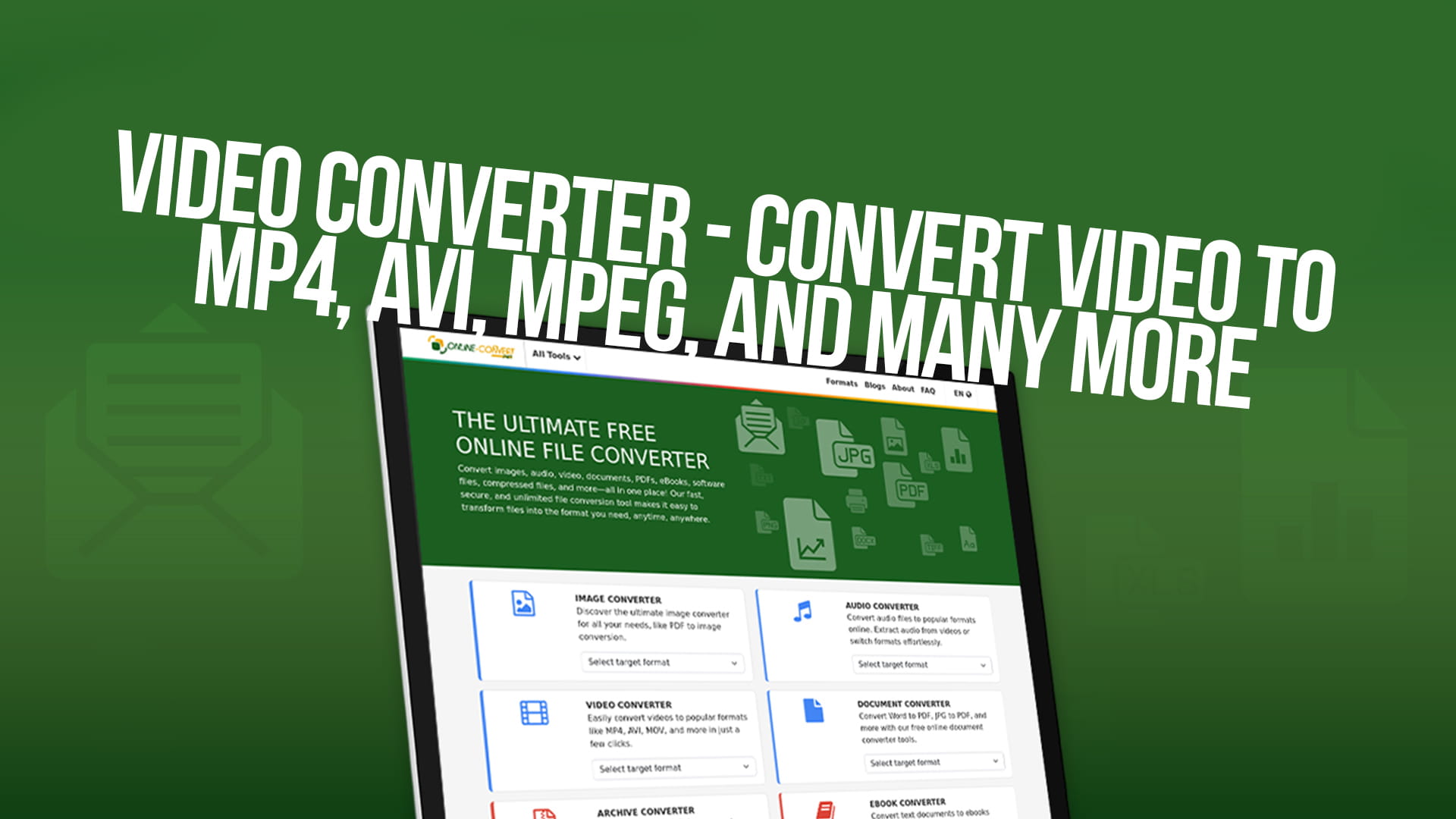
Video Converter (Convert Video to MP4, AVI, MPEG, and Many More)
Video is one of the most important types of content on the internet today. People watch videos on YouTube, Facebook, Instagram, TikTok, and many other websites. People also watch videos on their phones, tablets, computers, and televisions. Videos are used for entertainment, education, business, and communication.
However, not all videos are in the same format. A video format is the way the video file is saved and stored. Different video formats work on different devices. Different formats create different file sizes. Some formats give better quality. Some formats work faster. Understanding video formats and how to convert between them is very important for anyone who works with videos.
Sometimes you have a video that is in one format, but you need it in a different format. Maybe you recorded a video on your camera, but your phone does not support that format. Maybe you have a video file that is very large, and you need to make it smaller so you can share it. Maybe you want to upload a video to a website, but that website only accepts certain formats. In all these situations, you need to convert your video to a different format.
Video conversion is the process of changing a video from one format to another. This process might also change the video quality, file size, resolution, and other characteristics. Video conversion is very useful and happens millions of times every day around the world.
Understanding Video Formats Basics
Before we talk about specific video formats, you need to understand some basic information about how video formats work.
A video file actually contains two different things inside. First, it contains video data, which is the picture and the images that you see. Second, it contains audio data, which is the sound that you hear. These two things are stored together in the same file.
The video format tells your device how to read both the video data and the audio data. Different formats use different ways to store this information. Some formats make very small files by removing information. Some formats keep all the information and make very large files.
The quality of a video depends on several things. The resolution is how many pixels are in the video image. Higher resolution means more detail and larger files. The frame rate is how many images per second the video shows. More frames per second means smoother motion, but larger files. The bitrate is how much data is used for each second of video. Higher bitrate means better quality but larger files.
When you convert a video, you can change any of these things. You can convert a high-quality video to a lower quality to make the file smaller. You can convert a video with low resolution to a higher resolution, though this does not add real detail. You can convert a video with thirty frames per second to sixty frames per second.
Exploring MP4 Format and Its Advantages
MP4 is the most popular video format in the world today. MP4 stands for MPEG-4 Part 14. It is the modern standard format for videos on the internet. Almost every website that allows video uploads accepts the MP4 format.
MP4 became popular because it offers a very good balance between quality and file size. MP4 files are much smaller than some older formats, but the quality is still very good. This makes MP4 perfect for the internet, where you need to download and upload files quickly.
MP4 is supported by absolutely every modern device. Every smartphone supports MP4. Every tablet supports MP4. Every computer and laptop supports MP4. Every television and streaming device supports MP4. This universal support is one of the biggest reasons MP4 is so popular and so important.
MP4 works with different types of video compression. Video compression is the process of making the video file smaller by removing some information. MP4 can use H.264 compression, which is older and widely supported everywhere. MP4 can also use H.265 compression, which is newer and makes smaller files, but is not supported on all devices.
The audio inside an MP4 file can also be compressed using different methods. MP4 usually uses AAC audio compression, which sounds very good while keeping file sizes reasonable. MP4 can also use other audio formats.
When you have a video in any other format, and you want to use it on most devices and websites, converting to MP4 is the smart choice. MP4 gives you reliability and compatibility. You know that almost any device and any software will be able to play your MP4 video.
Understanding AVI Format and Its Uses
AVI stands for Audio Video Interleave. AVI is an older video format that was very popular before MP4 existed. Many people still use AVI, and many videos are still in AVI format.
AVI was created by Microsoft in the year nineteen ninety-two. That was more than thirty years ago. Even though AVI is old, it is still used and still supported by many devices and software programs.
The main advantage of AVI is that it is simple. AVI straightforwardly stores video and audio data. Because AVI is simple, it does not remove much information. This means AVI can have very good quality.
The main disadvantage of AVI is that files are very large. Because AVI does not compress the data much, the files take up a lot of storage space. A one-minute video in AVI format might be fifty megabytes or more. The same video in MP4 format might be only five megabytes.
Another disadvantage of AVI is that it is not as portable as MP4. While MP4 works on almost everything, AVI might not work on all devices. Some older software and devices support AVI, but some newer devices do not.
AVI is sometimes still used for professional video editing because of its good quality and simple structure. Video editors sometimes prefer AVI during the editing process, then convert to MP4 for the final version.
If you have AVI files from old videos and you want to use them on modern devices and websites, you should convert them to MP4. This will make them compatible with everything and will make the files much smaller.
Learning About MPEG Format and Its Role
MPEG stands for Moving Picture Experts Group. MPEG is a very old video format that was used for television and video disc technology. MPEG formats include MPEG-1, MPEG-2, and MPEG-4.
MPEG-1 was used for video on CD-ROM discs. MPEG-2 was used for DVD video and digital television. These formats are old and rarely used today, except for playing old DVDs or old video files.
MPEG-4, which is the same as MP4, is the modern format and is what you should use for new videos.
If you have old MPEG files from DVDs or old video technology, converting them to MP4 is a good idea. This makes them compatible with modern devices, and the files often become smaller.
Discovering WebM Format for Web Video
WebM is a video format created especially for use on the internet. WebM was created by Google, the company that runs YouTube.
WebM is a modern format that makes very small file sizes while keeping good quality. WebM is designed specifically for streaming video on websites.
The advantage of WebM is that it produces smaller files than MP4. This helps websites load faster. Faster websites are better for users and better for search engine rankings.
The disadvantage of WebM is that not all devices support it. Older devices and some software programs do not support WebM. On the internet, WebM is becoming more popular for web video, but MP4 is still more widely supported.
For websites and online video streaming, using WebM is a good choice. For devices and offline video, MP4 is usually better.
Understanding MOV Format and Apple Compatibility
MOV is a video format created by Apple. MOV stands for QuickTime Movie. MOV is the standard video format for Mac computers, iPhones, and iPads.
MOV works very well on Apple devices. If you have an iPhone or iPad, your device naturally records videos in MOV format.
The advantage of MOV is excellent quality and compatibility with all Apple devices. If you use Apple products, MOV is very convenient.
The disadvantage of MOV is that it does not work well on non-Apple devices. Windows computers do not always support MOV. Android phones do not support MOV. If you need to share videos with people who do not use Apple products, MOV is not the best choice.
If you have MOV files from your iPhone or Mac and you want to share them with people who use Windows or Android, you should convert them to MP4. MP4 will work on all devices.
Exploring the MKV Format for High Quality
MKV stands for Matroska Video. MKV is a format designed to store high-quality video and audio.
MKV is very flexible and can contain multiple video tracks, multiple audio tracks, and subtitle tracks all in one file. This makes MKV popular for movies and professional video.
The advantage of MKV is excellent quality and the ability to include multiple versions of audio and subtitles.
The disadvantage of MKV is that many devices do not support it. MKV is more popular on computers than on mobile devices. Many websites do not accept MKV files.
If you have MKV files and want to share them widely or play them on mobile devices, converting to MP4 is a good choice.
Why You Need to Convert Videos
There are many important reasons why you might need to convert videos from one format to another.
The first reason is device compatibility. You might have a video recorded on your camera, but your phone does not support that format. Converting to a format your phone supports solves this problem.
The second reason is website compatibility. Many websites only accept certain video formats. YouTube accepts MP4, WebM, and some other formats. Facebook accepts MP4 and MOV. If you want to upload to a website and your video is not in an accepted format, you must convert.
The third reason is file size. Some video formats create very large files. If you need to send a video by email or upload it to the internet, the file might be too large. Converting to a more efficient format makes the file smaller.
The fourth reason is quality adjustment. Sometimes a video file is too large or too high quality for your purpose. You might want to reduce the quality to make a smaller file. Converting lets you adjust quality as needed.
The fifth reason is storage space. If you have many videos and limited storage space on your device or computer, converting to a format with better compression helps you store more videos.
The sixth reason is professional workflow. Video editors and professionals often convert between formats during different stages of work. Converting lets them use the best format for each stage.
The seventh reason is future compatibility. Some video formats are becoming older and less supported. Converting old formats to modern formats like MP4 ensures your videos will still work on future devices.
How to Convert Videos Using Online-Convert
Converting videos is now very easy and free. You do not need to download or install any software. You do not need technical knowledge. You just need to use Online-Convert, which is a free and simple website.
Online-Convert is a website that lets you convert videos from one format to another instantly. The service is completely free. You do not need to create an account. You do not need to pay any money. You just visit the website, upload your video, choose your desired format, and download the converted video.
Using Online-Convert is very simple and straightforward. First, you go to the Online-Convert website. You look for the video conversion section. You can either click a button to choose a file from your computer or you can drag and drop your video file onto the website.
The website accepts many different video formats, including MP4, AVI, MOV, MKV, WebM, MPEG, and many others. If you have a video in almost any common format, Online-Convert can convert it.
Second, after you upload your video, the website asks you what format you want to convert to. You can see a list of all the formats Online-Convert supports. You click on the format you want. For example, if you have an AVI file and want to convert it to MP4, you click MP4.
Third, the website might ask you for some options. You can usually choose the quality level. Higher quality means better-looking video, but a larger file size. Lower quality means a smaller file size, but a video that looks slightly less good. You choose the quality that is right for your needs.
Fourth, you can also usually adjust other settings like resolution and frame rate if you want. But for most people, the default settings work very well.
Fifth, after you have chosen all your settings, you tell the website to start converting. The website begins converting your video automatically. You see a progress bar showing how much of the conversion is complete.
Sixth, when the conversion is finished, which usually takes a few minutes, you download your new video file. You click a download button, and the converted video appears on your computer. You can now use the converted video anywhere you need it.
Online-Convert also lets you convert many videos at the same time. If you have ten videos you want to convert from AVI to MP4, you can upload all ten at the same time. This saves you enormous amounts of time compared to converting each one separately.
The quality of conversion is very good. Online-Convert uses modern conversion technology to ensure your videos look great after conversion. The audio also converts smoothly.
Online-Convert also provides conversion services for images, audio files, documents, eBooks, and many other file types. Whatever you need to convert, Online-Convert probably supports it.
Converting Common Video Formats to MP4
Converting to MP4 is the most common type of video conversion. MP4 is the universal standard, so converting other formats to MP4 is very useful.
If you have AVI videos from older cameras or old computers, converting to MP4 makes them compatible with modern devices. The converted MP4 files are usually much smaller than the original AVI files, sometimes just a quarter of the original size.
If you have MOV videos from iPhones or Mac computers, converting to MP4 lets you share them with people who use Android or Windows. MP4 works on all devices.
If you have MKV files that are very large, converting to MP4 usually makes them smaller while keeping good quality.
The process is simple. You upload your video to Online-Convert. You select MP4 as the output format. You choose quality settings if you want. Then you download your new MP4 file.
After conversion, you can test your video on different devices. Make sure it plays correctly on your phone, computer, and any other devices you plan to use.
Converting Videos for Different Purposes
Different purposes require different video formats and quality settings.
For uploading to YouTube, the MP4 format is perfect. YouTube plays MP4 videos well and supports high quality. You want good quality for YouTube, so your videos look beautiful.
For uploading to social media like Facebook or Instagram, the MP4 format works well. You might want to reduce the quality and resolution to make smaller files that upload faster.
For sharing through email or messaging apps, you want smaller file sizes. Converting to MP4 with lower quality settings creates files that are small enough to send easily.
For storing videos on your computer, you might want high quality to preserve the original. But if storage space is limited, converting to a more efficient format helps.
For playing videos on your phone, the MP4 format is best. Most phones support MP4 natively.
For professional video editing, formats like MOV or ProRes are sometimes preferred by editors, but MP4 also works. After editing, you usually convert to MP4 for sharing.
For watching old videos recorded on old cameras or old formats, converting to MP4 makes them viewable on modern devices and usually makes them smaller.
Video Quality and File Size Considerations
Understanding the relationship between video quality and file size is important for making good conversion choices.
Video quality depends on several factors. Resolution is how many pixels wide and tall the video is. Common resolutions are 1080p (full HD), 720p (HD), and 480p (standard definition). Higher resolution means larger files and better detail.
Frame rate is how many images per second the video shows. Common frame rates are 24, 30, and 60 frames per second. Higher frame rates mean smoother motion but larger files.
Bitrate is how much data is used for each second of video. Higher bitrate means better quality but larger files. Typical bitrates for MP4 range from one million bits per second for low quality to ten million bits per second for very high quality.
When you convert a video, you can adjust any of these factors. If your original video is 4K resolution at 60 frames per second at 20 million bitrate, the file might be very large. You could convert to 1080p at 30 frames per second at 5 million bitrate, and the file might become a tenth of the original size.
Sometimes you want to keep quality high. If you are uploading to YouTube, keeping good quality is important. If you are storing an important video, keeping good quality is important.
Other times, you want smaller files. If you are sending a video by email, you want a smaller file. If you want to share a video on social media, smaller files upload faster.
Online-Convert lets you choose quality settings for most conversions. You can find the right balance between quality and file size for your specific needs.
Video Conversion for Different Devices
Different devices work better with different video formats and qualities.
Smartphones and tablets usually work best with the MP4 format. Most phones support MP4 natively. You want to use a resolution like 720p or 1080p that displays well on phone screens. Very high resolution, like 4K, is usually not necessary for phones.
Computers work well with many formats, including MP4, MOV, and AVI. Computers have more processing power than phones, so they can handle more complex formats.
Smart TVs usually work best with the MP4 format. Many smart TVs support other formats too, but MP4 is the most reliable.
Old devices might not support modern formats like WebM or new versions of H.265. If you need to play videos on old devices, MP4 with H.264 compression is the safest choice.
Professional video equipment often prefers formats like ProRes or DNxHD. If you are doing professional work, you might need formats beyond the common ones.
When converting, think about what devices you want to play your videos on, and choose the format and quality that works best for those devices.
Steps to Start Converting Your Videos Today
You can start converting your videos immediately. Here is how to begin.
First, find videos you want to convert. You might have videos on your computer that are in old formats. You might have videos from your camera or phone. You might have videos you downloaded from the internet. Collect the videos you want to convert.
Second, decide what format you want to convert to. For most purposes, MP4 is the best choice. MP4 works almost everywhere and has good quality at reasonable file sizes.
Third, go to the Online-Convert website. Look for the video conversion section. You can drag and drop your first video, or click to choose it from your computer.
Fourth, select your desired output format from the list. If converting to MP4, click MP4.
Fifth, look at the quality options. If you want to keep the quality similar to the original, choose high quality. If you want smaller files, choose lower quality. For most purposes, medium to high quality is a good choice.
Sixth, start the conversion. The website begins converting your video. A progress bar shows you how much is complete.
Seventh, when conversion is finished, download your new video file. Try playing it to make sure it looks good and sounds good.
Eighth, if you are happy with the results, convert your remaining videos. For many videos, use the batch conversion feature to convert multiple at once, which is much faster than converting one at a time.
Ninth, organize your converted videos. Create folders to keep them organized so you can find them easily later.
Tenth, share or use your converted videos however you want. Upload to websites, share with friends, store for backup, or use in any way you need.
Benefits of Converting Your Videos
Converting your videos to modern formats offers many benefits you can enjoy immediately.
Your videos work on more devices. After converting to MP4, your videos will play on phones, tablets, computers, smart TVs, and almost everything else.
Your files become smaller. Converting often reduces file size significantly, sometimes to one tenth of the original size. Smaller files are easier to share, backup, and store.
Your videos upload faster to websites. Smaller files upload much more quickly than large files. This saves you time and saves your internet bandwidth.
You can edit more easily. Many video editors work better with certain formats. Converting to the format your editor prefers makes the work easier and faster.
Your old videos become usable. If you have old videos in formats that your devices do not support, converting makes them viewable on modern technology.
You save storage space. If you store many videos on your devices or in the cloud, converting to smaller formats lets you store more videos.
You prepare for the future. By converting old formats to modern formats like MP4, you ensure your videos will still work on future devices and technology.
Understanding Video Conversion Technology
Modern video conversion technology is very sophisticated but works invisibly to you.
The conversion process reads the original video file. It extracts the video data and audio data. It decodes this data using the original format's decoding method. It then encodes the data using the new format's encoding method. Finally, it writes the encoded data to a new file in the new format.
This process might sound complicated, but Online-Convert handles all of it automatically. You just upload and download. You do not need to understand the technical details.
Modern conversion technology preserves quality very well. For files where quality loss is necessary, conversion technology uses sophisticated algorithms to remove information in ways that human eyes and ears do not notice.
Conversion technology has improved greatly over the years. Modern converters produce much better quality than converters from ten years ago.
Common Uses for Video Conversion
People and organizations convert videos for many different reasons.
Content creators convert videos to prepare them for uploading to YouTube, TikTok, Instagram, and other platforms. Each platform works best with certain formats and qualities.
Students convert videos to formats that work with their school's video players and systems.
Businesses convert training videos to formats that work on their employees' devices.
Photographers convert videos from their cameras to formats they can edit and share.
Families convert old home videos from old formats to modern MP4 so they can watch them on modern televisions and devices.
Archivists convert videos to modern formats to preserve them for the future.
Researchers convert video files to standard formats for analysis and processing.
Broadcasters and television production companies convert videos between many formats during the production process.
The Future of Video Format Technology
Video formats continue to evolve and improve. Technology is constantly advancing.
New compression technology called AV1 is being developed to be even more efficient than H.265. As AV1 technology becomes more common, it will allow even smaller files without quality loss.
VP9 and VP10 are other modern compression technologies that offer good efficiency.
Cloud video streaming technology is becoming more important. Streaming services like Netflix and Disney+ use sophisticated video technology to deliver video smoothly, even on slow internet connections.
Mobile video technology continues to improve. Phones are getting more powerful video processors, which means higher-quality videos can be played on phones.
Virtual reality and 360-degree video are becoming more important. These special video types require different technology than traditional two-dimensional video.
No matter what new formats and technologies appear in the future, tools like Online-Convert will support them. You will always be able to convert between formats easily.
Choosing the Right Video Format for Your Needs
Different situations require different video formats. Understanding which format to use when will help you make good decisions.
Use MP4 when you want a format that works on almost everything. MP4 is the safe choice that always works.
Use WebM when you want smaller files for web streaming and do not need to support very old devices.
Use MOV when you are working on Apple devices and equipment and do not need to share with non-Apple users.
Use MKV when you want to store high-quality video with multiple audio tracks and subtitles.
Use AVI only if you are working with old equipment that requires it, or for archival purposes to preserve old videos.
For most modern purposes, MP4 is the best choice. MP4 offers an excellent balance between compatibility, file size, and quality.
Conclusion and Getting Started
Video conversion is one of the most useful tools for anyone who works with videos. Understanding video formats and knowing how to convert between them gives you much more flexibility and control.
MP4 is the modern universal standard video format. Converting other formats to MP4 is almost always a good choice. MP4 works on all devices, produces reasonable file sizes, and provides good quality.
Converting videos is easy and free using Online-Convert. You do not need to install software or have technical knowledge. You just upload your video, choose your desired format, and download the result.
Start converting your videos today. Test a few videos first to make sure you are happy with the quality. Adjust quality settings if needed. Then convert all your remaining videos.
Your videos will work better on more devices. Your files will be smaller and easier to share. Your old videos will become usable on modern technology. You will be ready for whatever video formats the future brings.
Video conversion is simple, free, and powerful. Make the decision today to convert your videos to modern formats, and you will enjoy the benefits immediately and for years to come.
