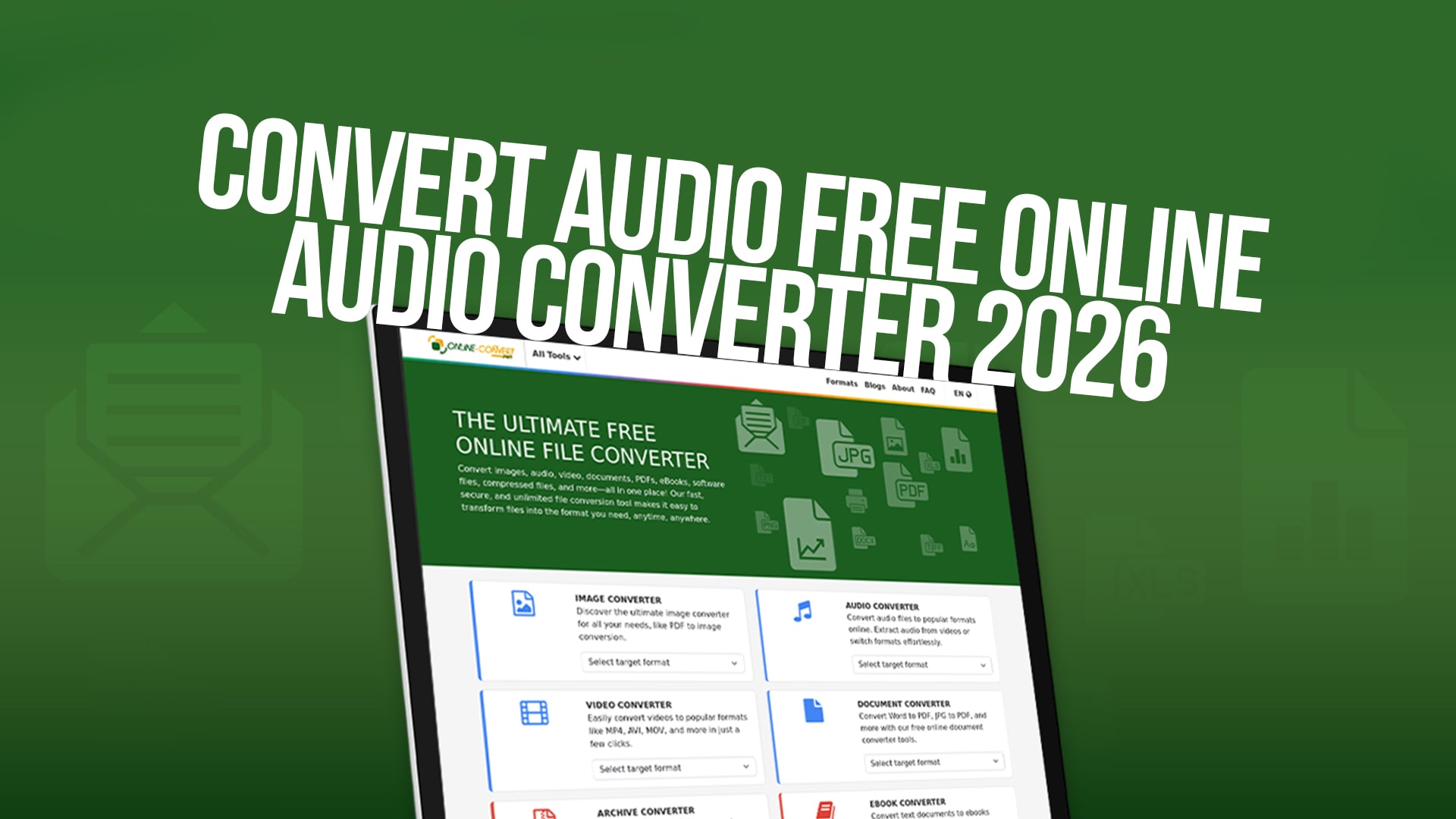
Convert Audio Free Online (Audio Converter 2026)
Audio files come in many different formats. Sometimes you need to change the format of an audio file to use it on different devices or applications. Maybe your old MP3 player only accepts WAV files, or perhaps you want to reduce the file size of a large audio recording. Whatever your reason, converting audio files can seem like a difficult task if you don't know where to start.
The good news is that converting audio files has become much easier than it was in the past. You no longer need to download expensive software or become a technical expert to change the format of your audio files. Free online audio converters have made this process simple, quick, and available to everyone. Whether you are a music lover, a podcaster, a student, or a professional, converting audio files is now something anyone can do in just a few minutes.
In this complete guide, we will explain everything you need to know about audio conversion. We will show you how to use free online tools, what formats are available, and why you might want to convert your audio files in the first place. By the end of this article, you will understand audio conversion completely and be able to convert any audio file you want.
What is Audio Conversion and Why Do You Need It?
Audio conversion is the process of changing one audio file format into another format. Think of it like translating a document from one language to another. The content stays the same, but the format changes so different people can understand it.
There are many reasons why someone might need to convert audio files. First, different devices support different audio formats. For example, older phones might not support the newer AAC format, so you might need to convert to MP3 instead. Second, different platforms have different requirements. Some websites only accept certain audio formats, so you need to convert your file before you can upload it. Third, you might want to reduce the file size of your audio. A WAV file takes up much more space than an MP3 file, so converting from WAV to MP3 can save you storage space.
Another common reason for audio conversion is improving audio quality. Sometimes you have an old audio file in a low-quality format, and you want to convert it to a higher-quality format. You might also want to convert from a lossy format (where some audio information is thrown away) to a lossless format (where all audio information is kept). Musicians and sound engineers do this often when working with professional audio recordings.
Audio conversion is also useful if you want to use the same audio file on multiple devices. You might record a lecture on your computer as a WAV file, but you want to listen to it on your phone as an MP3 file. Instead of recording the lecture twice, you can simply convert the WAV file to MP3 format.
Understanding Different Audio Formats
Before you start converting audio files, it is helpful to understand the most common audio formats and what makes them different.
MP3 is probably the most popular audio format in the world. It was created in the 1990s and became the standard for digital music. MP3 files are much smaller than original audio recordings because they remove sounds that most human ears cannot hear. This makes them perfect for listening to music on your phone or computer. However, because some information is removed, MP3 files are not the best choice if you need the highest quality audio.
WAV is a format that keeps all the audio information without removing anything. This means WAV files are much larger than MP3 files, but the sound quality is excellent. Professional musicians, sound engineers, and recording studios usually use WAV files because they need the best quality audio possible.
FLAC stands for Free Lossless Audio Codec. It is similar to WAV because it keeps all audio information, but FLAC files are smaller than WAV files. FLAC is becoming more popular with music lovers who want high quality audio but also want smaller file sizes.
M4A is the audio format used by Apple. If you buy music from iTunes or listen to music on an iPhone, the files are usually in M4A format. M4A is similar to MP3 in that it is a compressed format, but it usually sounds better than MP3 at the same file size.
OGG is an open-source audio format that is free to use for anyone. OGG files are similar in size to MP3 files but often have better sound quality. Some people prefer the OGG format because it is not owned by any large company.
AAC is another compressed audio format that is often used by Apple and other companies. It is similar to MP3 but usually provides better sound quality at smaller file sizes.
WMA stands for Windows Media Audio. This format was created by Microsoft and is mainly used on Windows computers. WMA files are similar to MP3 but are less common nowadays.
Why Choose Online-Convert for Your Audio Conversion Needs?
When you want to convert audio files, you have many choices. You could download expensive software on your computer, but that takes up space and costs money. You could also try complicated desktop applications that are confusing for beginners. However, the easiest and most convenient option is to use a free online audio converter.
Online-Convert is a website that makes audio conversion simple and fast. You do not need to download anything or install any software. You simply visit the website, choose your audio file, pick the format you want, and click convert. In just a few moments, your file is ready to download.
One of the biggest advantages of Online-Convert is that it is completely free. You never have to pay anything to convert your audio files, no matter how many files you convert or how large they are. There are no hidden fees, no premium versions, and no limitations on how many conversions you can do each day.
Another great feature of Online-Convert is that it is very fast. Your audio file is converted quickly, usually in just a few seconds or minutes, depending on the file size. You do not have to wait around for hours like you might with some other tools.
Online-Convert also supports many different audio formats. Whether you want to convert to MP3, WAV, FLAC, M4A, OGG, or many other formats, Online-Convert can do it for you. This makes it the perfect all-in-one solution for all your audio conversion needs.
The website is also very easy to use. You do not need to be a computer expert or have any technical knowledge. The process is simple, and anyone can do it. The buttons are clear, the instructions are easy to follow, and the whole process takes just a few minutes from start to finish.
How to Convert Your Audio Files Using Online-Convert
Converting your audio files using Online-Convert is a simple process that anyone can do. Let us walk you through it step by step so you understand exactly what to do.
The first step is to visit the Online-Convert website. When you arrive at the website, you will see many different conversion options for different types of files. Look for the audio converter section. This is usually easy to find because the website is organized clearly and logically.
Once you have found the audio converter section, you need to upload your audio file. You can do this in several ways. The easiest way is to click the button that says "Choose File" or "Upload File" and then select the audio file from your computer. The website will accept audio files from your computer's hard drive, and you can select any file you want to convert.
After you have selected your audio file, the next step is to choose the output format. This means deciding what format you want your new audio file to be in. If you want to convert to MP3, select MP3 from the list. If you want to convert to WAV, select WAV. The website shows you all the available formats, so you can easily choose the one you want.
Once you have selected the output format, you can click the convert button. This starts the conversion process. The website will now process your audio file and change it from its original format to the new format you selected. During this time, you will see a progress bar showing you how much of the conversion is complete.
When the conversion is finished, you will see a download button. Click this button to download your newly converted audio file to your computer. The file will be saved to your downloads folder, and you can then use it however you want.
That is all there is to it. The whole process takes just a few minutes, and you now have your audio file in a new format. You can repeat this process for as many files as you want, and it will not cost you anything.
Benefits of Using Online-Convert for Audio Conversion
There are many reasons why Online-Convert is an excellent choice for converting your audio files. Let us discuss some of the main benefits that make it stand out from other audio conversion tools.
The first major benefit is that it is completely free. You can convert as many audio files as you want without paying anything. This is perfect if you convert audio files frequently or if you have many files to convert at once. Other tools might charge you per conversion or require you to buy a subscription, but Online-Convert never charges you anything.
Another major benefit is that it is very fast. The conversion process happens quickly, so you do not have to wait around. If you are in a hurry, Online-Convert will help you get the job done fast. This is especially useful if you need to convert multiple files in a short amount of time.
Online-Convert also supports a huge number of audio formats. Whether you have an unusual format or a common format, the website probably supports it. This means you are very unlikely to find an audio format that Online-Convert cannot convert. This versatility makes it the perfect tool for people who work with many different types of audio files.
The website is also very reliable. The conversion process works smoothly, and your files are converted correctly almost every single time. You do not have to worry about your audio file being damaged or not converting properly. Online-Convert has been around for a long time and is used by millions of people around the world, so you can trust that it works well.
Online-Convert also respects your privacy. You do not need to create an account or give any personal information to use the website. You do not need to register with your email address or provide your name. Simply visit the website, convert your file, and download it. That is all you need to do. Your files are not stored on the website for very long, so you do not have to worry about your audio files being saved somewhere they should not be.
Another advantage is that Online-Convert works on any device. Whether you are using a computer, a tablet, or a smartphone, you can use Online-Convert. The website works well on all these devices, so you can convert audio files wherever you are and whenever you want.
Common Audio Conversion Scenarios and Solutions
Different people need to convert audio files for different reasons. Let us look at some common situations where people need audio conversion and explain how Online-Convert can help.
If you are a music lover who wants to put songs on an old MP3 player, you might have music files in FLAC or WAV format, but your MP3 player only accepts MP3 files. In this situation, you simply convert your FLAC or WAV files to MP3 format using Online-Convert. Your songs will then work on your old MP3 player.
If you are a podcaster, you might record your podcast on your computer in WAV format because this gives the best quality. However, when you want to upload your podcast to a podcast platform, the platform might only accept MP3 files. You can use Online-Convert to quickly convert all your WAV files to MP3 format before uploading them.
If you are a student who has recorded a lecture as an M4A file on your iPhone, but you want to edit it on your computer using editing software that does not support M4A, you can convert your M4A file to MP3 or WAV format using Online-Convert. Then you can open the converted file in your editing software.
If you are a musician who has old audio recordings in OGG format, and you want to use them in a professional music production software that only accepts WAV files, you can convert your OGG files to WAV format using Online-Convert.
If you need to send an audio file to someone via email, but the file is too large, you can convert it to MP3 format, which will make the file much smaller so you can send it easily via email.
If you have audio files in different formats and you want all of them to be in the same format so you can organize them better, you can convert all of them to your preferred format using Online-Convert.
Tips for Getting the Best Results When Converting Audio
When you convert audio files, there are several things you can do to make sure you get the best results possible.
First, understand what each format is best for. If you care most about sound quality, choose a lossless format like WAV or FLAC. If you care most about file size, choose a compressed format like MP3. If you are not sure which format to choose, MP3 is usually a safe choice because it works on almost all devices and provides good sound quality for most people.
Second, be aware that converting from one format to another cannot improve the quality of your audio. For example, if you have a low-quality MP3 file, converting it to WAV will not make it sound better. The conversion process can only change the format, not improve the audio quality. However, converting from a lossy format to a lossless format will preserve all the audio information that was in the original file.
Third, make sure you have enough space on your computer for the converted file. Some formats create larger files than others. For example, WAV files are much larger than MP3 files. Before you convert your audio file, check that you have enough storage space available.
Fourth, keep a copy of your original file. Before you convert your audio file, it is always a good idea to keep the original file just in case you need it again later. You might want to convert to a different format later, or you might want to use the original high-quality file for something else.
Fifth, check your converted file to make sure it sounds good. After you convert your audio file, listen to a portion of it to make sure the conversion was successful and that the audio sounds the way you want it to sound.
Beyond Audio Conversion: Other Services Available
While audio conversion is an excellent service, Online-Convert offers much more than just audio conversion. The website is a complete conversion tool for many types of files.
You can convert images from one format to another using Online-Convert. Whether you need to convert from JPG to PNG, or from PNG to BMP, you can do it easily on this website.
You can also convert video files. If you have a video file in one format but need it in another format, Online-Convert can help you convert it quickly and easily.
Online-Convert also allows you to convert documents. If you have a document in one format and need it in another format, you can use the website to convert it for you.
The website also handles PDF files. You can convert PDFs to other formats, or convert other files to PDF format.
You can also convert eBooks to different formats, convert compressed files, convert software files, and much more. This makes Online-Convert a true all-in-one conversion website that can handle almost any file conversion task you need.
Conclusion
Converting audio files is now easier than ever, thanks to free online tools like Online-Convert. Whether you need to convert a single file or many files, whether you need to convert to a common format or an unusual format, Online-Convert can help you do it quickly, easily, and completely free of charge.
The process is simple. Visit Online-Convert, upload your audio file, choose your desired output format, and click convert. In just a few minutes, you will have your audio file in the new format you wanted. No downloads, no installations, no complicated software, and no cost.
Whether you are a student, a podcaster, a musician, a music lover, or anyone else who works with audio files, Online-Convert is the perfect tool for your audio conversion needs. With support for many different audio formats, fast conversion speeds, complete privacy protection, and a user-friendly interface, Online-Convert makes audio conversion something anyone can do.
So the next time you need to convert an audio file, do not waste time looking for other solutions. Visit Online-Convert today and start converting your audio files for free. You will be amazed at how easy and quick the process is. Your audio conversion needs are just a few clicks away.
