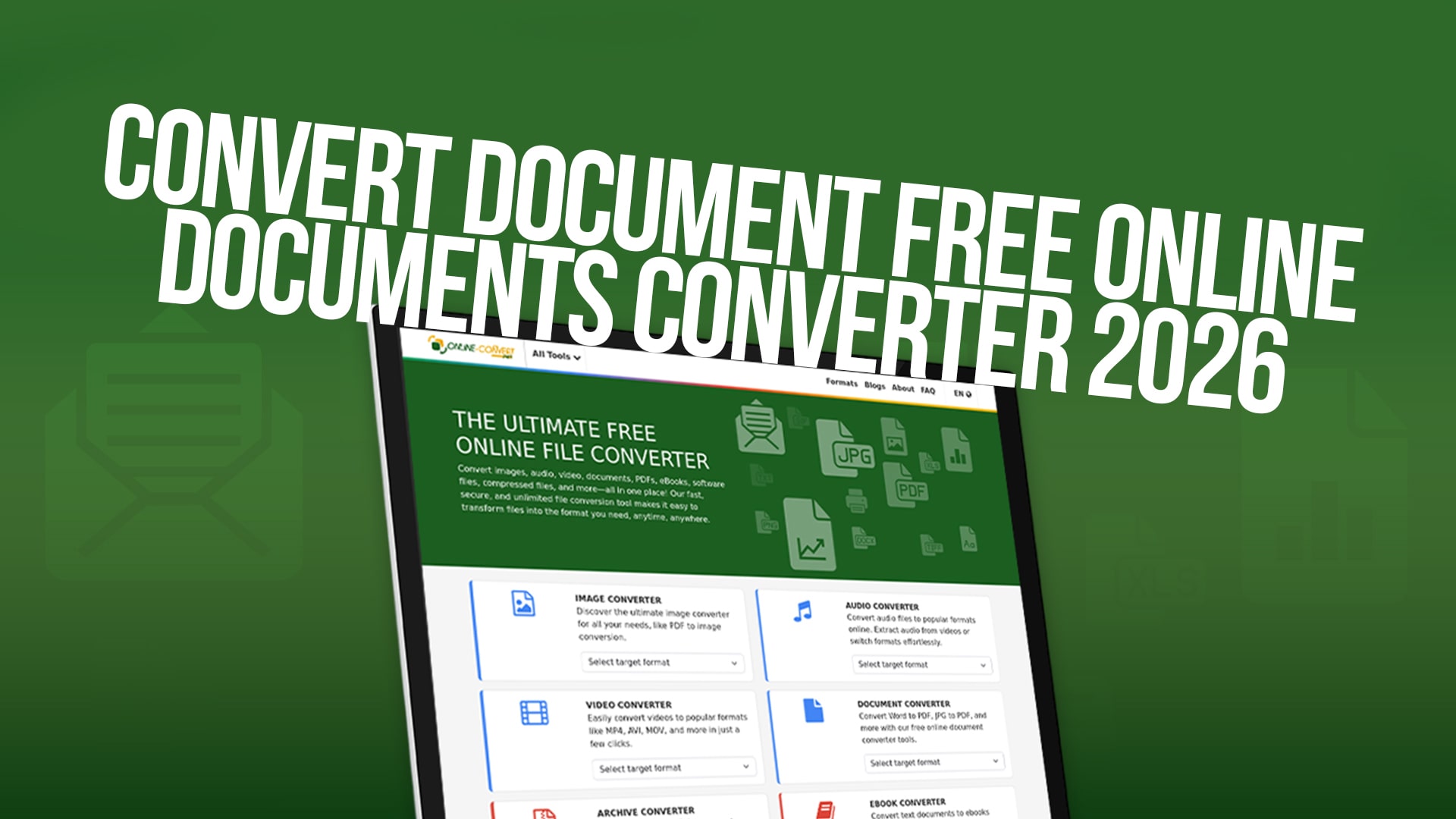
Convert Document Free Online - Documents Converter 2026
Managing different types of files has become an essential part of our daily work and personal life. Whether you are a student, a professional, or someone who works with different types of media files, you often need to convert documents from one format to another. Converting files can be a challenging task, especially when you do not have the right tools or software installed on your computer. This is where Online-Convert comes into play. It is a powerful and completely free online conversion tool that helps you transform any file type into another format without any hassle.
Online-Convert is designed to make file conversion simple, quick, and accessible to everyone. You do not need to download expensive software or worry about compatibility issues. With Online-Convert, you can convert documents, images, audio files, videos, PDFs, eBooks, software files, compressed files, and many more file types. All you need is an internet connection and a web browser to start using this amazing tool.
Why Document Conversion Matters in 2026
The need for document conversion has never been more important than it is today. In our modern work environment, people collaborate across different platforms, devices, and software. A document created in one program might need to be opened in another. An image taken on your smartphone might need to be converted to a different format for web use. A video recorded in one format might need to be converted to another so it plays on different devices.
Document conversion is not just about changing file formats. It is about making your files compatible with different systems, ensuring that your work can be shared easily with others, and making sure that important information is preserved in the correct format. When you need to send a document to a colleague who uses different software, you need to convert it to a format they can open. When you want to upload an image to a website, you might need to convert it to a web-friendly format. These are situations where document conversion becomes crucial.
Online-Convert understands these needs and provides a platform where you can handle all your conversion needs in one place. Whether you are working with professional documents, creative files, or personal media, Online-Convert has the tools to help you convert them quickly and safely.
Understanding Different File Types and Formats
Before we talk about how to use Online-Convert, let's understand the different types of files that need conversion. There are several main categories of files that people work with every day.
Documents are files that contain text, images, and other content. Common document formats include Word documents, PDFs, text files, and spreadsheets. These files are used in offices, schools, and homes. Sometimes you need to convert a Word document to PDF to protect the formatting, or convert a PDF to Word so you can edit the content.
Images are visual files like photographs, drawings, and graphics. Common image formats include JPG, PNG, GIF, and BMP. Different situations require different image formats. A PNG file works better for images with transparent backgrounds, while JPG files are better for photographs because they are smaller in size.
Audio files contain sound and music. Common audio formats include MP3, WAV, FLAC, and AAC. Different devices and applications support different audio formats. Sometimes you need to convert an audio file to MP3 so it can play on any device.
Videos are moving images with sound. Common video formats include MP4, AVI, MOV, and WebM. Video conversion is important when you want to share videos on different platforms or watch them on different devices.
PDFs are a special type of document format that preserves the exact look of a document, no matter what device or software opens it. PDFs are widely used for official documents, forms, and sharing content that should not be changed.
EBooks are digital books that you can read on different devices. Common eBook formats include EPUB, MOBI, and PDF. Different reading devices support different eBook formats.
Software files are programs that you install on your computer. These files sometimes need to be converted or extracted.
Compressed files are files that have been made smaller so they take up less space. Common compressed formats include ZIP and RAR. Sometimes you need to compress files to send them easily or decompress them to use them.
Understanding these different file types helps you know when and why you might need to convert files. Online-Convert supports conversion for all these types of files and many more.
The Benefits of Using an Online Document Converter
Using an online document converter like Online-Convert offers many advantages compared to using desktop software or trying to convert files manually.
The first major benefit is convenience. You can access Online-Convert from any device with an internet connection. You do not need to install any software on your computer. Whether you are using a Windows computer, Mac, or Linux computer, Online-Convert works the same way. You can also use it on your smartphone or tablet. This means you can convert files wherever you are, whenever you need to.
The second benefit is cost. Online-Convert is completely free. You do not need to pay for a subscription, buy a license, or pay per conversion. Many other conversion tools charge money for their services. Online-Convert believes that file conversion should be free and accessible to everyone.
The third benefit is security. When you use Online-Convert, your files are converted on secure servers. Your files are not stored permanently, and Online-Convert does not sell or share your files with anyone. Your privacy is protected. This is important when you are converting sensitive or personal documents.
The fourth benefit is speed. Online-Convert converts your files very quickly. You do not need to wait a long time for the conversion to be finished. Most conversions are completed in just a few seconds or minutes, depending on the file size.
The fifth benefit is quality. Online-Convert uses high-quality conversion technology to make sure that your converted files look good and work correctly. The quality of your converted files will not be reduced.
The sixth benefit is versatility. Online-Convert supports conversion for many different file types. Instead of using many different tools for different file types, you can use one tool for almost everything. This saves you time and makes your work easier.
How to Use Online-Convert for Different File Types
Using Online-Convert is straightforward. Let's look at how to use it for different types of files.
To convert any file using Online-Convert, you start by going to the Online-Convert website. Once you are on the site, you will see options for different types of conversions. You simply need to find the type of conversion you want to do and click on it. Then, you upload the file you want to convert. You can upload a file from your computer by clicking a button to choose the file, or you can paste a link to a file on the internet. After uploading, you can often select options to customize your conversion, such as the quality level or the size of the output file. Finally, you click the convert button, and Online-Convert will start the conversion. Once it is finished, you can download your converted file.
For document conversions, such as converting Word files to PDF or vice versa, the process is the same. You select the document conversion option, upload your document, and choose the output format you want. Online-Convert will convert your document while keeping all the text, images, and formatting intact.
For image conversions, you upload your image and choose the format you want to convert it to. Online-Convert supports popular image formats like JPG, PNG, GIF, and many others. You can also adjust settings like the image quality or size before converting.
For audio conversions, you upload your audio file and choose the output format. Online-Convert can convert between popular audio formats like MP3, WAV, FLAC, and many others.
For video conversions, you upload your video file and choose the format you want. Online-Convert supports popular video formats, and you can also adjust settings like the video quality and size.
For PDF conversions, you can convert PDFs to other formats like Word, images, or text. You can also convert other formats to PDF to protect the formatting of your documents.
For eBook conversions, you can convert between different eBook formats. This is useful if you have a book in one format but your reading device only supports another format.
For compressed file conversions, you can decompress files to get access to the content inside, or compress files to make them smaller for sharing.
Converting Documents - The Most Common Need
Document conversion is the most common type of file conversion that people need to do. Many people work with documents every day, and different people use different software to create and edit documents.
One very common conversion is turning a Word document into a PDF. People do this when they need to share a document that should not be changed, or when they need to send a document to someone who might not have Microsoft Word installed. Converting to PDF ensures that the document looks the same on any device and any software.
Another common conversion is turning a PDF into a Word document. People do this when they receive a PDF and need to edit the content. A PDF is difficult to edit, but a Word document is easy to edit. Online-Convert can extract the text and images from a PDF and convert them into a Word document that you can easily modify.
People also convert documents to different formats for different purposes. A resume might be converted from a Word document to a PDF for submitting to employers. A presentation might be converted to a different format so it can be opened on different computers. A spreadsheet might be converted from Excel to Google Sheets format so it can be accessed online.
Online-Convert makes all these document conversions quick and easy. You do not need to worry about whether your software can do these conversions. Online-Convert can handle all common document conversion tasks.
Converting Images - Making Your Photos Web-Ready
Image conversion is another very important type of file conversion. With so many devices and platforms using images, you often need to convert images to different formats.
When you take a photo with your smartphone, it is usually saved as a JPG file. This format is good for photographs because it keeps the file size small while maintaining good quality. However, if you want to use the image on a website and it has a transparent background, you might need to convert it to PNG format instead.
When you create graphics or logos, you might want to save them as PNG files because PNG supports transparent backgrounds. But if someone asks you to provide the file as a JPG, you need to convert it. Online-Convert can do this quickly.
If you have an old image in BMP format and want to convert it to a modern format like PNG or JPG, Online-Convert can help. If you need to convert an image to GIF format for animation purposes, Online-Convert supports that too.
Image conversion is also useful when you need to resize images. While Online-Convert primarily focuses on format conversion, you can often adjust image quality and size settings during the conversion process.
Many professionals use image conversion regularly. Photographers convert images to different formats for different clients. Web designers convert images to web-friendly formats. Social media managers convert images to meet the requirements of different platforms.
The Importance of PDF Conversion
PDF is one of the most important file formats in the modern world. PDFs are used for official documents, forms, reports, contracts, and many other important files. Understanding how to convert files to and from PDF is an essential skill.
Converting documents to PDF is important because the PDF format preserves the exact appearance of your document. No matter what device someone uses to open the PDF, it will look exactly the way you intended. This is why many businesses require documents to be in PDF format.
Converting PDFs to other formats is important when you need to edit a PDF document. Since PDFs are difficult to edit, you might need to convert a PDF to a Word document so you can make changes. Online-Convert makes this process simple.
PDFs are also useful for combining multiple documents into one file. Sometimes you might have several documents in different formats that you need to send together. Converting them all to PDF and combining them into one file makes sharing easier.
Archives and libraries often work with PDFs. Historical documents are frequently converted to PDF format to preserve them and make them accessible. Researchers need to convert PDFs to other formats so they can analyze the data inside.
Online-Convert's PDF conversion tools are reliable and preserve the quality and content of your files. Whether you are converting to PDF or from PDF, you can trust that your documents will be handled correctly.
Audio and Video Conversion - For Entertainment and Professional Use
Audio and video files are becoming more common in our daily lives. Whether you are a music fan, a content creator, or someone who works with multimedia, you will need to convert audio and video files at some point.
Audio conversion is useful for many reasons. You might have a song in WAV format but want to convert it to MP3 so you can listen to it on any device. You might need to convert FLAC files, which have high quality but large file size, to MP3 for easier sharing. Musicians and producers often need to convert between different audio formats.
Video conversion is important for content creators. YouTube has specific requirements for video formats and sizes. TikTok has different requirements. Websites have different requirements. A video creator might need to convert a video from MP4 to WebM format for a website, or from MOV to MP4 for social media platforms.
Online-Convert supports conversions between many popular audio and video formats. You can convert between MP3, WAV, FLAC, AAC, and many other audio formats. You can convert between MP4, AVI, MOV, WebM, and many other video formats.
The conversion process preserves the quality of your files while converting them to the format you need. For audio files, the sound quality is maintained. For video files, the picture quality is maintained.
EBooks and Compressed Files
EBooks have become a major part of how people read. Different devices and reading applications support different eBook formats. Your Amazon Kindle might support MOBI format, while your tablet might support EPUB format.
Converting eBooks from one format to another is important if you have a book in one format but want to read it on a device that supports a different format. Online-Convert can handle eBook conversions easily.
Compressed files are important for sharing large files. If you have several large files that you want to send to someone, you might want to compress them first to make them smaller. If you receive a compressed file, you need to decompress it to use the files inside.
Online-Convert can help you compress files and decompress compressed files. This is useful for managing storage space and sharing files with others.
Why Choose Online-Convert in 2026
In 2026, there are many file conversion options available. Online-Convert stands out for several reasons.
First, Online-Convert is completely free. In a world where many services charge subscription fees, Online-Convert believes in providing free access to conversion tools. You can convert as many files as you want without paying anything.
Second, Online-Convert is trusted. It has been helping people convert files for many years. Millions of users around the world use Online-Convert every day.
Third, Online-Convert is easy to use. You do not need to be a technical expert to use Online-Convert. The interface is straightforward. Even if you have never converted a file before, you can figure out how to use Online-Convert quickly.
Fourth, Online-Convert is secure. Your files are converted on secure servers, and your privacy is protected. Your files are not stored permanently, and they are not shared with anyone.
Fifth, Online-Convert is fast. Most conversions are completed in seconds or minutes. You do not need to wait a long time for your files to be converted.
Sixth, Online-Convert supports a wide variety of file types. Whatever type of file you need to convert, there is a good chance that Online-Convert can help you.
Getting Started with File Conversion
If you have never converted a file before, do not worry. The process is very simple. Start by thinking about what file you need to convert and what format you need to convert it to. Then, visit Online-Convert and look for the conversion option you need. Upload your file, select any options you want, and click convert. Download your converted file when it is finished.
You can start with simple conversions to get comfortable with the process. Convert an image from one format to another. Convert a document to PDF. Try these simple conversions first, and then you will feel confident doing more complex conversions.
Remember that you can convert files as many times as you want. If your first conversion does not turn out exactly the way you wanted, you can try again with different settings. Online-Convert allows you to experiment and find the settings that work best for you.
Conclusion
File conversion is an essential skill. Whether you are a student, professional, or casual computer user, you will need to convert files at some point. Online-Convert makes file conversion easy, fast, and free.
You no longer need to buy expensive software or spend time learning complicated programs. With Online-Convert, you can convert documents, images, audio files, videos, PDFs, eBooks, software files, compressed files, and much more. All you need is a web browser and an internet connection.
The benefits of using Online-Convert are clear. It is free, secure, fast, easy to use, and supports many file types. Whether you need to convert a document to PDF, convert an image to a different format, or convert an audio file, Online-Convert has the tools you need.
Start using Online-Convert today and discover how easy file conversion can be. Visit the website and explore the different conversion options available. Whether you are converting one file or many files, Online-Convert is here to help you with all your conversion needs. Make file conversion simple and free with Online-Convert in 2026 and beyond.
