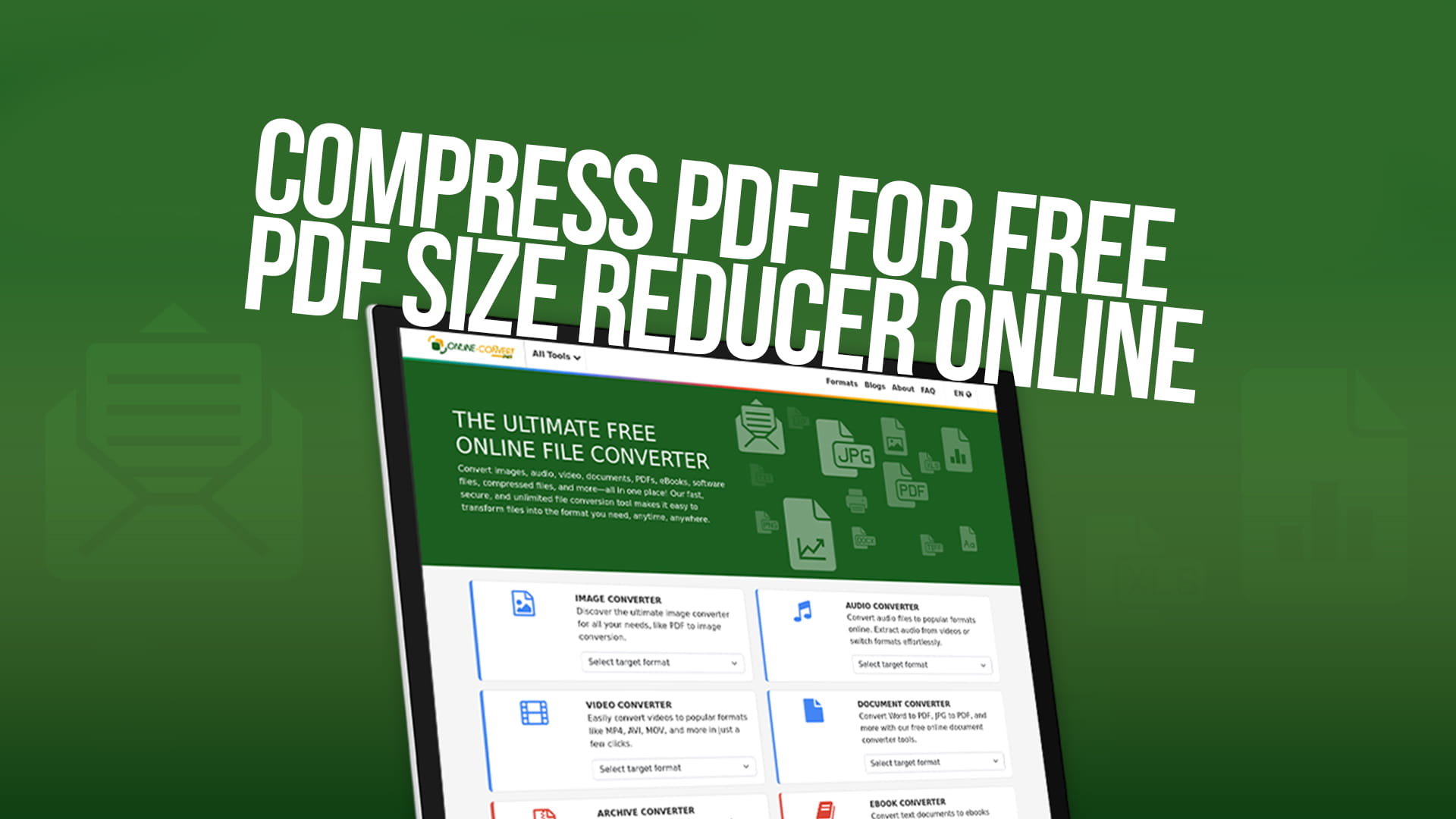
Compress PDF for Free (PDF Size Reducer Online)
PDF files are everywhere in our digital world. We use them for work documents, school assignments, business proposals, invoices, contracts, and countless other purposes. However, these files can sometimes become surprisingly large, making them difficult to share, upload, or store. This is where PDF compression becomes essential.
Large PDF files create several problems in our daily digital activities. When you try to send a big PDF through email, you might find that it exceeds the attachment size limit. Most email services only allow attachments up to 25 megabytes, and some professional platforms have even stricter limits. A single PDF with high-resolution images or many pages can easily exceed this threshold, leaving you frustrated and unable to send important documents.
Website uploads present another challenge. Many online forms, job application portals, and submission systems have file size restrictions. If your resume, portfolio, or application documents are too large, you simply cannot proceed. This can cost you opportunities and waste valuable time.
Storage space is also a concern, especially if you work with many PDF files regularly. Whether you are storing documents on your computer, cloud service, or mobile device, large files consume precious space quickly. By compressing your PDFs, you can keep more files without constantly running out of storage.
Loading speed matters too. When someone opens a large PDF, it takes longer to load and display. This can be frustrating for readers and can even cause browsers or PDF viewers to freeze or crash. Compressed files open faster and provide a better experience for everyone.
Understanding PDF Compression
Before diving into how to compress PDFs, it helps to understand what compression actually means. PDF compression is the process of reducing the file size of a PDF document while trying to maintain its quality and readability. Think of it like packing a suitcase more efficiently – you are fitting the same contents into less space.
PDF files can be large for several reasons. High-resolution images are often the biggest culprit. When you scan documents or insert photos into a PDF, these images might have much higher quality than necessary for viewing on screens. A photo taken with a modern smartphone might be several megabytes on its own, and a PDF with multiple such images becomes very large very quickly.
Embedded fonts also add to file size. PDFs often embed fonts to ensure the document looks the same on any device. While this is helpful for consistency, it adds extra data to the file. Multiple fonts or fancy typography can significantly increase the overall size.
Uncompressed data streams within the PDF structure can make files larger than they need to be. PDFs contain various elements like vector graphics, metadata, and structural information. Without proper compression, all this data takes up more space than necessary.
The compression process works by identifying redundant information and optimizing how data is stored. For images, compression might reduce resolution slightly or use more efficient encoding methods. The goal is always to make the file smaller while keeping it perfectly usable and readable.
Benefits of Using a Free Online PDF Compressor
Online PDF compression tools like Online-Convert offer numerous advantages over traditional software solutions. Understanding these benefits helps you make informed decisions about how to handle your PDF files.
Accessibility stands out as perhaps the biggest advantage. With an online tool, you can compress PDFs from anywhere with an internet connection. Whether you are at home, in the office, at a coffee shop, or traveling, you can access the service whenever you need it. You do not need to be on a specific computer that has particular software installed.
No installation requirements mean you save time and computer resources. Traditional desktop software requires downloading, installing, and updating applications. This process consumes hard drive space, and software can slow down your computer. Online tools eliminate all of these concerns. You simply visit the website and start working immediately.
Cost savings make online compression particularly attractive. Quality PDF software can be expensive, especially professional-grade applications. Free online tools like Online-Convert provide powerful compression capabilities without any financial investment. This is perfect for individuals, students, small businesses, and anyone who needs to compress PDFs occasionally without paying for software they rarely use.
Cross-platform compatibility ensures the tool works regardless of your operating system. Whether you use Windows, Mac, Linux, or even a Chromebook, the online compressor functions the same way. You can even use it on tablets and smartphones, making it incredibly versatile.
No learning curve makes online compressors user-friendly. Professional software often comes with complicated interfaces and numerous settings that can overwhelm casual users. Online tools are designed for simplicity. Most people can figure out how to use them within seconds, making the process quick and frustration-free.
Automatic updates mean you always have access to the latest compression technology. When you use an online service, the provider handles all technical improvements behind the scenes. You benefit from enhanced algorithms and features without doing anything.
Privacy and security have improved significantly with modern online tools. Reputable services like Online-Convert use secure connections and delete your files after processing. This means your sensitive documents remain protected throughout the compression process.
How PDF Compression Works
The technical process behind PDF compression involves several sophisticated methods working together. While you do not need to understand all the details, knowing the basics helps you appreciate what happens to your files.
Image optimization is typically the most impactful compression technique. PDF compressors analyze images within your document and reduce their file size through various methods. This might involve reducing resolution, changing the color space, or using more efficient compression algorithms. For example, an image that displays on screen at 96 DPI does not need to be stored at 300 DPI, which is necessary for high-quality printing. The compressor can reduce the resolution without affecting how the document looks on most devices.
Duplicate content removal helps shrink files that reuse the same elements. If your PDF contains the same logo on every page, the compression algorithm can store that logo once and reference it multiple times instead of saving it separately for each page. This technique can dramatically reduce file size in documents with repeated graphics or watermarks.
Font subsetting involves including only the characters actually used in the document rather than entire font files. If your PDF only uses the letters A through Z from a particular font, there is no need to embed the entire alphabet, numbers, and special characters. The compressor includes just what is needed, saving space.
Stream compression optimizes the underlying data structures within the PDF. PDFs contain various data streams that define how content is displayed. These streams can be compressed using algorithms that remove redundancy while preserving all the information needed to display the document correctly.
Metadata reduction removes or minimizes non-essential information embedded in the file. PDFs can contain creation dates, modification history, author information, and other metadata. While sometimes useful, this information adds to file size. Compression can streamline metadata to save space.
The compression process balances file size reduction with quality preservation. Good compression tools offer different levels of compression, allowing you to choose between maximum size reduction and maintaining the highest possible quality. For documents that will only be viewed on screens, aggressive compression works well. For files that might be printed, more conservative compression preserves better quality.
Using Online-Convert for PDF Compression
Online-Convert provides a straightforward and effective solution for compressing PDF files. The platform is designed with user experience in mind, making the entire process simple and efficient.
Getting started requires no registration or account creation. You can simply visit the platform and begin compressing files immediately. This removes barriers and saves time, especially if you only need to compress a file occasionally.
The interface presents a clean and uncluttered design. When you access the PDF compression tool, you will see clear instructions and minimal distractions. The focus remains on helping you accomplish your task quickly.
Uploading your PDF file is easy. You can drag and drop files directly onto the webpage, or you can click to browse your computer and select files the traditional way. The platform also supports importing files from cloud storage services, which is convenient if your PDF is already stored online.
File size limits are generous. While some free compressors severely restrict the size of files you can process, Online-Convert accommodates larger documents. This means you can compress substantial files without running into frustrating limitations.
Processing speed is impressive. Once you upload your PDF and initiate compression, the platform works quickly to reduce the file size. The actual time required depends on the original file size and complexity, but most documents process within seconds to a couple of minutes.
Compression quality settings give you control over the final result. You can typically choose between different compression levels. If you need maximum size reduction and the document quality is not critical, you can select aggressive compression. If maintaining visual quality is important, you can choose lighter compression that still reduces file size but preserves more detail.
Batch processing capabilities allow you to compress multiple PDF files at once. If you have several documents that need compression, you can upload them together and process them in one session. This saves considerable time compared to compressing files one by one.
Download options are flexible. After compression completes, you can download the compressed file directly to your device. The platform typically also provides cloud storage options, allowing you to save the compressed file directly to services like Google Drive or Dropbox.
Security measures protect your files throughout the process. Online-Convert uses encrypted connections to ensure your data remains private during upload and download. The platform also automatically deletes uploaded files after a short period, ensuring your documents do not remain on their servers indefinitely.
Tips for Effective PDF Compression
Getting the best results from PDF compression involves more than just uploading a file and clicking compress. These practical tips help you optimize the process and achieve the best balance between file size and quality.
Understand your purpose before compressing. If the PDF is destined for email sharing and screen viewing only, you can use aggressive compression without worry. However, if the document will be printed, especially in large format or professional settings, you should use lighter compression to maintain print quality.
Check the original file before compression. Sometimes PDFs are already reasonably sized and do not need much compression. Other times, examining the original reveals opportunities for optimization before using a compression tool. For instance, if you created the PDF yourself, you might be able to reduce image resolution or remove unnecessary pages at the source.
Remove unnecessary pages to reduce file size without any quality loss. If your PDF contains blank pages, outdated information, or content that is no longer relevant, delete those pages before compression. This is particularly effective because it reduces file size without any impact on the quality of the remaining content.
Consider splitting large documents. Sometimes, a very large PDF would be better served as multiple smaller files. For example, a 100-page report might work well as five 20-page sections. This makes files easier to manage, faster to open, and more convenient for readers who only need specific sections.
Use appropriate compression levels for different document types. Text-heavy documents with few images can handle aggressive compression beautifully because text compresses very efficiently. Documents with many photographs or detailed graphics require more careful compression to maintain visual quality.
Preview the compressed file before finalizing. Most online compression tools allow you to view the result before downloading. Take advantage of this feature to ensure the compression has not negatively impacted important details. Zoom in on critical areas like charts, fine print, or detailed images to verify they remain legible.
Keep original files as backups. Always maintain a copy of the original, uncompressed PDF. If the compression results are not satisfactory, you can try again with different settings without having to recreate the original document. Storage is relatively inexpensive, so keeping originals is a small price for peace of mind.
Test compressed files before important use. If you are submitting a compressed PDF for a job application, uploading it to an important client, or using it in any consequential situation, open the file and review it thoroughly. Make sure all pages display correctly, images are clear, and text is readable.
Common PDF Compression Scenarios
Different situations call for PDF compression, and understanding common use cases helps you apply the technique effectively in your own work.
Email attachments represent perhaps the most frequent need for PDF compression. When you need to send documents through email but they exceed size limits, compression provides the solution. A compressed resume, cover letter, or portfolio can fit within email constraints while remaining professional and readable.
Website uploads benefit significantly from compression. Whether you are uploading documents to a content management system, submitting files to an online form, or adding resources to a website, smaller files upload faster and are more likely to stay within platform restrictions.
Cloud storage optimization helps you maximize limited storage space. If you use cloud services with storage caps, compressing PDFs before uploading allows you to store more documents without upgrading to paid plans. This is especially valuable for students and individuals managing personal documents.
Mobile device storage is often limited, making compression essential for keeping documents on smartphones and tablets. Compressed PDFs take up less space and also load faster on mobile devices, which often have less processing power than computers.
Archiving documents becomes more practical when files are compressed. If you maintain digital archives of old documents, reports, or records, compression allows you to store years of materials without consuming enormous amounts of storage space.
Professional portfolios often contain high-resolution images and creative work. Designers, photographers, and artists frequently need to share portfolios that showcase their work, but these can easily become too large. Compression helps create portfolio PDFs that are impressive yet practical to share.
Academic submissions, including research papers, theses, and dissertations, often have file size requirements. Universities and publishers typically specify maximum file sizes for submissions. Compression ensures your academic work meets these requirements without compromising content quality.
Business proposals and reports frequently include charts, graphs, and images. These documents can become quite large, but business communications demand professionalism and efficiency. Compressed proposals are easier to distribute to clients and colleagues.
Technical Specifications and Quality
Understanding the technical aspects of PDF compression helps you make informed decisions about quality and file size trade-offs.
Resolution settings directly impact both file size and visual quality. Images in PDFs are measured in DPI or dots per inch. Screen viewing typically requires only 72 to 96 DPI, while professional printing demands 300 DPI or higher. Compression tools often reduce image resolution to optimize for screen viewing, which significantly decreases file size. If your PDF will only be viewed electronically, this resolution reduction is perfectly acceptable.
Color space conversion can reduce file size substantially. Color images contain much more data than grayscale images. If your document does not require color, converting images to grayscale during compression can dramatically reduce file size. Even if color is necessary, converting from RGB to more efficient color spaces can help.
Compression algorithms vary in their approach and results. Lossy compression reduces file size more aggressively but may result in some quality degradation. Lossless compression maintains perfect quality but achieves smaller size reductions. The best compression tools intelligently apply appropriate algorithms to different elements within the PDF.
PDF versions matter for compatibility and efficiency. Newer PDF versions support more efficient compression methods and can produce smaller files. However, very old PDF readers might not support the latest versions. Quality compression tools balance modern efficiency with backward compatibility.
Bit depth affects image file sizes. Images with higher bit depth contain more color information and are larger. Compression can reduce bit depth where appropriate, particularly for images that do not require extensive color gradations.
Security and Privacy Considerations
When using online tools to compress PDFs, security and privacy are important concerns, especially if your documents contain sensitive information.
Encrypted connections protect your files during transfer. Reputable services like Online-Convert use HTTPS encryption, which means data traveling between your device and their servers is protected from interception. This is similar to the security used by banks and other financial institutions.
File deletion policies determine how long your documents remain on the service's servers. Good online compression services automatically delete uploaded files within a short timeframe, typically a few hours. This ensures your documents do not remain accessible indefinitely on servers you do not control.
Privacy policies explain how services handle your data. Before using any online tool with sensitive documents, review the privacy policy to understand what the company does with uploaded files. Reputable services clearly state that they do not share, sell, or use your content.
For extremely sensitive documents, consider alternatives. If you are working with highly confidential materials like legal documents, medical records, or trade secrets, you might prefer desktop software that processes files entirely on your local computer. This eliminates any need to upload files to external servers.
Password-protected PDFs require special consideration. Some compression tools cannot process password-protected PDFs, while others require you to remove protection first. If your PDF is encrypted, you may need to unlock it before compression, compress it, and then re-encrypt the compressed version.
Maximizing Compression Results
Achieving optimal compression results requires understanding the factors that influence PDF file size and quality.
Source file optimization matters significantly. If you are creating PDFs from scratch, making smart choices during creation leads to better results. Use appropriate image formats and sizes from the start rather than inserting oversized images and relying on compression to fix the problem.
Image preprocessing can dramatically improve compression outcomes. Before creating a PDF, optimize images separately. Crop unnecessary areas, reduce resolution to appropriate levels, and use efficient file formats. This groundwork makes the final PDF smaller and allows compression tools to work more effectively.
Page range selection allows you to compress only specific portions of large documents. If certain pages contain high-quality images that must remain pristine while other pages can handle aggressive compression, some tools let you process different sections differently.
Multiple compression passes sometimes yield better results. If the first compression does not achieve sufficient size reduction, try compressing the already-compressed file again. While this requires caution to avoid excessive quality degradation, it can sometimes squeeze out additional space savings.
Alternative file formats might serve your needs better in some cases. While PDFs are incredibly useful, sometimes other formats like compressed image files or text documents might be more appropriate and efficient for your specific purpose.
Troubleshooting Common Issues
Even with user-friendly tools, you might occasionally encounter challenges when compressing PDFs.
Files that fail to upload usually have simple explanations. Check that the file is not corrupted, verify it is actually a PDF and not mislabeled, and ensure you have a stable internet connection. Very large files might time out during upload, in which case you might need to split the document or try during times of better connectivity.
Excessive quality loss indicates overly aggressive compression settings. If the compressed PDF looks noticeably worse than the original, try again with lighter compression settings. The goal is finding the sweet spot between file size and quality that meets your specific needs.
Minimal size reduction suggests the original file was already well-optimized. Some PDFs, particularly text-heavy documents without many images, are already quite small and cannot be compressed much further. In these cases, compression tools do their best but cannot work miracles.
Compatibility problems sometimes occur with very old PDF readers. If someone reports they cannot open your compressed PDF, they might be using outdated software. The compressed file is likely fine, and updating their PDF reader will solve the problem.
The Future of PDF Compression
Technology continues evolving, and PDF compression is no exception. Understanding emerging trends helps you stay current with best practices.
Artificial intelligence and machine learning are beginning to enhance compression algorithms. These technologies can analyze PDFs more intelligently, identifying exactly which elements can be aggressively compressed and which require preservation. This leads to better size reduction with less quality impact.
Cloud integration is becoming more seamless. Modern compression tools increasingly integrate with popular cloud storage services, allowing smooth workflows where you can select files from cloud storage, compress them, and save the results back to the cloud without manual downloads and uploads.
Mobile optimization continues to improve. As more people work from smartphones and tablets, compression tools are developing better mobile interfaces and functionality, making it easier to compress PDFs directly from mobile devices.
Real-time collaboration features may emerge, allowing teams to work with compressed PDFs more efficiently in shared environments. This could include automatic compression of shared documents or smart compression that adapts based on how documents will be used.
Making the Most of Online-Convert
Online-Convert offers more than just PDF compression. Understanding the full scope of the platform helps you leverage it effectively.
The platform supports comprehensive file conversion beyond PDFs. You can convert images between formats, transform audio and video files, work with documents in various formats, convert eBooks, handle software files, and manage compressed archives. This versatility makes it a valuable bookmark for various file-handling needs.
No software installation means you can use these tools from any device. Whether you need to convert an image on your laptop, compress a PDF on a borrowed computer, or process an audio file on a tablet, the platform remains accessible and functional.
Regular updates ensure the platform stays current with emerging file formats and compression technologies. You benefit from improvements automatically without needing to update software or change your workflow.
The free nature of the service makes it accessible to everyone. Students working on assignments, professionals preparing presentations, individuals managing personal documents, and small businesses handling customer communications can all benefit without financial barriers.
Practical Applications Across Industries
PDF compression proves valuable across numerous fields and professions, each with specific needs and use cases.
Education benefits tremendously from PDF compression. Students submit assignments, teachers distribute course materials, and administrators manage records. Compressed PDFs make all these activities more efficient by enabling quick uploads, easy email distribution, and practical storage of academic materials.
Healthcare organizations handle enormous volumes of documentation. Medical records, test results, prescription information, and insurance documents accumulate quickly. Compression helps healthcare providers manage this information efficiently while maintaining compliance with storage requirements.
Legal professionals work extensively with PDF documents. Contracts, briefs, case files, and discovery materials can be voluminous. Compression allows law firms to manage these documents more efficiently without sacrificing the quality needed for professional presentation and archival.
Real estate agents share property listings, disclosure documents, and contracts regularly. Compressed PDFs load faster for potential buyers browsing online and are easier to email to clients and other agents.
Marketing teams create promotional materials, brochures, and presentations. While these materials often feature high-quality images, compression allows marketers to share eye-catching content without overwhelming email servers or website bandwidth.
Non-profit organizations frequently operate with limited resources. Free compression tools help these organizations manage documents efficiently without investing in expensive software, allowing them to direct more resources toward their missions.
Conclusion
Compressing PDF files has become an essential skill in our increasingly digital world. Whether you are a student submitting assignments, a professional sharing business documents, or simply someone trying to email a file to a friend, the ability to reduce PDF file size quickly and effectively proves invaluable time and again.
Online-Convert provides a powerful, accessible, and completely free solution for PDF compression. The platform eliminates the need for expensive software, complicated installations, or technical expertise. With just a few clicks, you can reduce PDF file sizes significantly while maintaining the quality needed for your specific purpose.
The flexibility of choosing compression levels allows you to balance file size against quality based on your needs. The security measures protect your documents throughout the process. The speed and simplicity of the interface respect your time and make the task as painless as possible.
Beyond PDF compression, Online-Convert offers extensive file conversion capabilities, making it a versatile tool worth keeping in your digital toolkit. The platform handles images, audio, video, documents, and numerous other file types, all without requiring software installation or payment.
As our digital lives continue expanding and file sharing becomes ever more central to communication, education, and business, tools like Online-Convert become increasingly valuable. The ability to compress PDFs efficiently removes barriers to sharing information and helps you work more effectively in our connected world.
Take advantage of this free resource whenever you encounter file size challenges. Visit the platform, upload your PDF, select your compression preferences, and within moments, you will have a smaller, more manageable file ready to use however you need.
